What Should You Ask Before Adding Smart Technology to an Office?
Before you add smart technology to your office, clarify the problem, ongoing costs and support arrangements. Agree who checks the proposal and who approves it.
Focus on the questions you need to ask, the specialists to involve and the evidence to request before you approve a purchase.
If you need an introduction to the system categories, my smart buildings market overview covers energy management, infrastructure management and security, alongside upfront costs and cybersecurity concerns.
What problem should the technology solve?
Start with the difficulty you can describe and check. “We want a smart office” does not tell a supplier what you need.
Write down what is happening, who it affects and what improvement you expect. Then ask whether you need new equipment or whether the existing arrangements need attention.
Before comparing products, record:
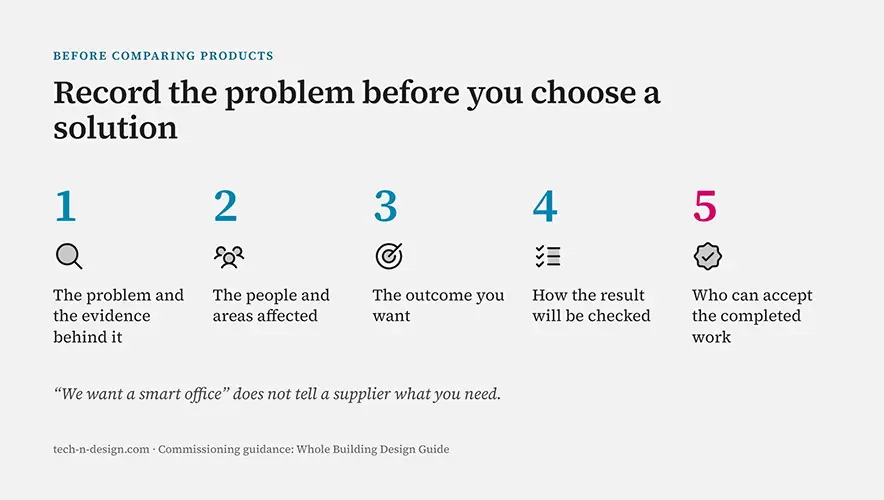
Building commissioning guidance starts with the owner’s requirements and connects them to performance checks. That supports defining the outcome before selecting a solution. Whole Building Design Guide: commissioning documents
Who needs to be involved in the decision?
Identify the contributors before asking for a recommendation. You need to distinguish the person requesting the technology from the people who assess, approve and operate it.
Use this as a starting point, then confirm responsibilities against your project’s appointments and approval procedures.
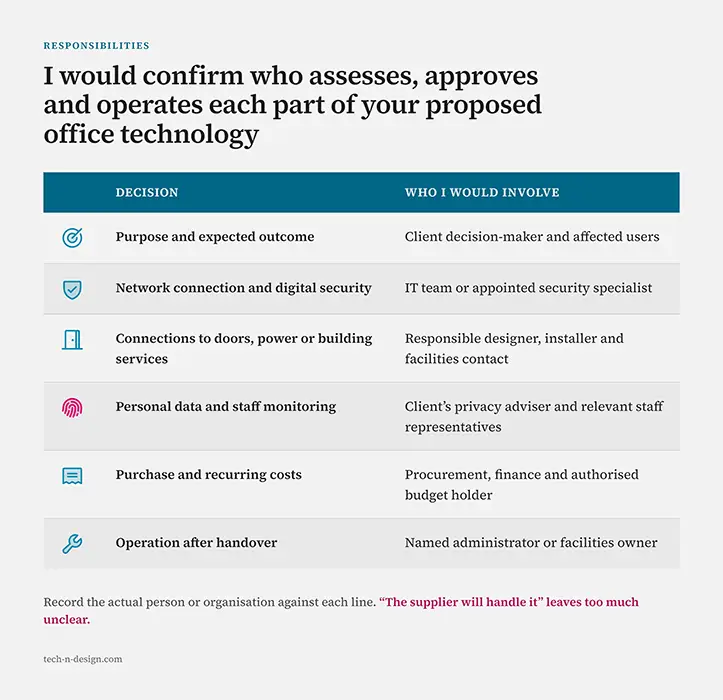
Record the actual person or organisation against each responsibility. “The supplier will handle it” leaves too much unclear.
If the proposal changes approved work, use the agreed change process. My guide to managing project change requests explains how to record the request, assess its effects and obtain the required decision.
Who confirms compatibility with the existing office?
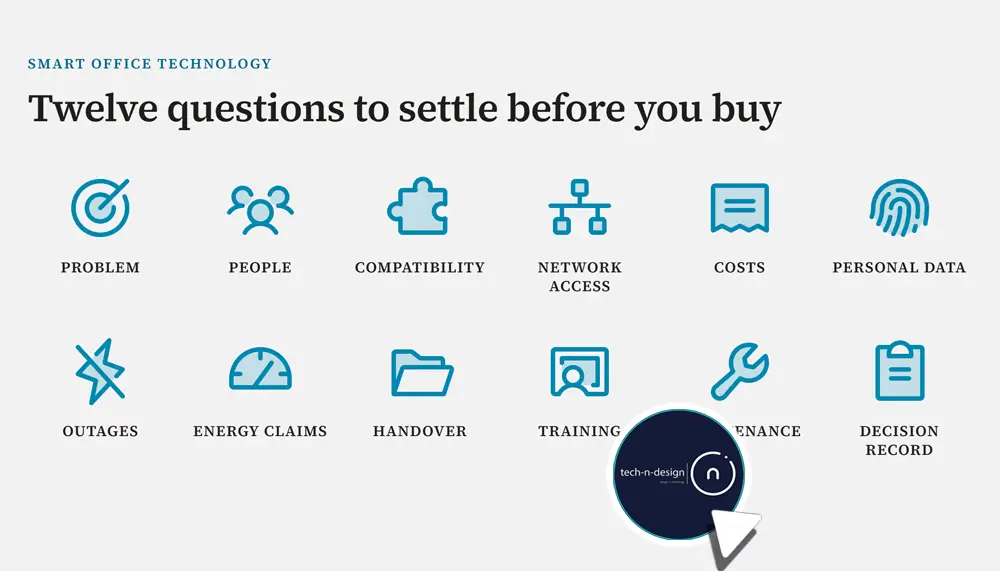
The dashboard raises questions about systems working together. Turn those into a written review request.
Ask the responsible specialist:
- What existing equipment and software have you checked?
- Which proposed functions will work with them?
- What additional equipment, licences or alterations are needed?
- What restrictions remain?
- How will compatibility be demonstrated?
Ask the supplier to identify the exact equipment and configuration covered by its answer. Keep that response with the specialist’s assessment.
Manufacturer documentation should describe capabilities, limitations and compatible operating systems. NIST’s guidance provides a basis for requesting that information, although its catalogue was developed for federal cybersecurity requirements. NIST: manufacturer documentation
Also, ask IT whether each device needs access to the company network. Dutch cybersecurity guidance specifically recommends considering whether a device needs the business network or whether a guest network would meet its purpose. The appropriate arrangement needs IT’s assessment. NCSC: securing connected devices
What will you pay beyond the equipment price?
Use the dashboard’s budget section to identify cost questions, then obtain quotations for the agreed scope.
Ask suppliers to separate:
- Equipment and required accessories.
- Installation, cabling and alterations.
- Configuration, testing and training.
- Licences, subscriptions and maintenance.
- Repairs, replacement and eventual removal.
Use a consistent tax basis and comparison period. Show exclusions beside the total. If a cost is unknown, mark it as awaiting a quotation; do not enter zero.
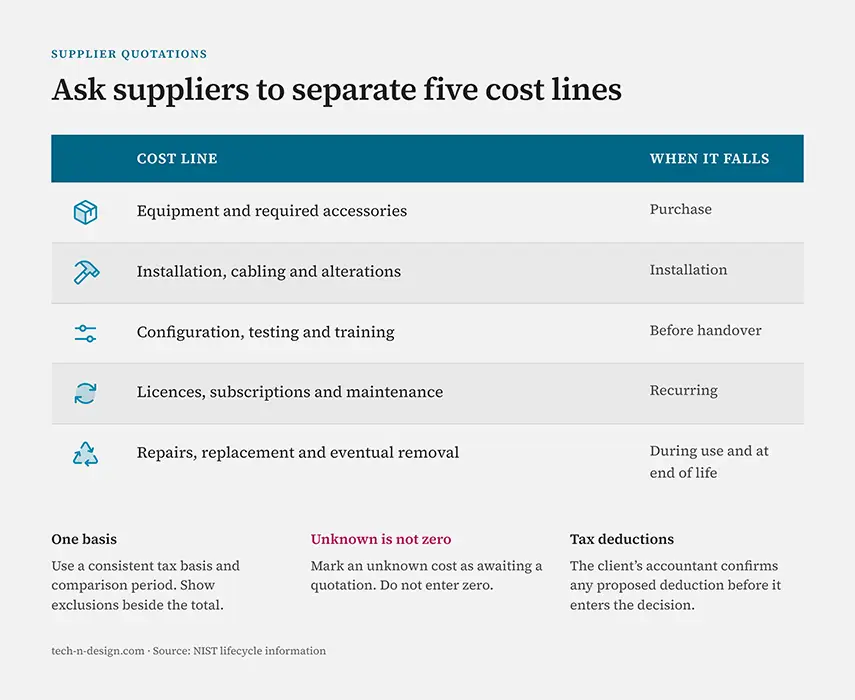
NIST’s manufacturer guidance includes expected lifespan, support terms and costs associated with operation, maintenance, repairs and disposal. These are useful subjects for a supplier enquiry. NIST: lifecycle information
Leave any proposed tax deduction for the client’s accountant to confirm before including it in the financial decision.
Does the system collect information about people?
The dashboard’s questions about cameras, access records, fingerprints and occupancy monitoring deserve attention before selection.
Establish what information the proposed system collects and why you need that information.
Ask the supplier and privacy reviewer:
- Can the information identify an individual?
- Who can access it?
- Where is it stored and processed?
- How long is it retained?
- Can you meet the same need with less information?
- What review, consultation and communication are required?
For Dutch workplaces, the privacy regulator explains that employee monitoring needs a lawful basis, must be necessary and requires employees to be informed. The applicable assessment depends on the proposal and its use. Autoriteit Persoonsgegevens: conditions for monitoring employees
Track the reviewer’s findings and outstanding actions. Choosing a storage location or switching off a feature does not, by itself, close that review.
What happens during an outage?
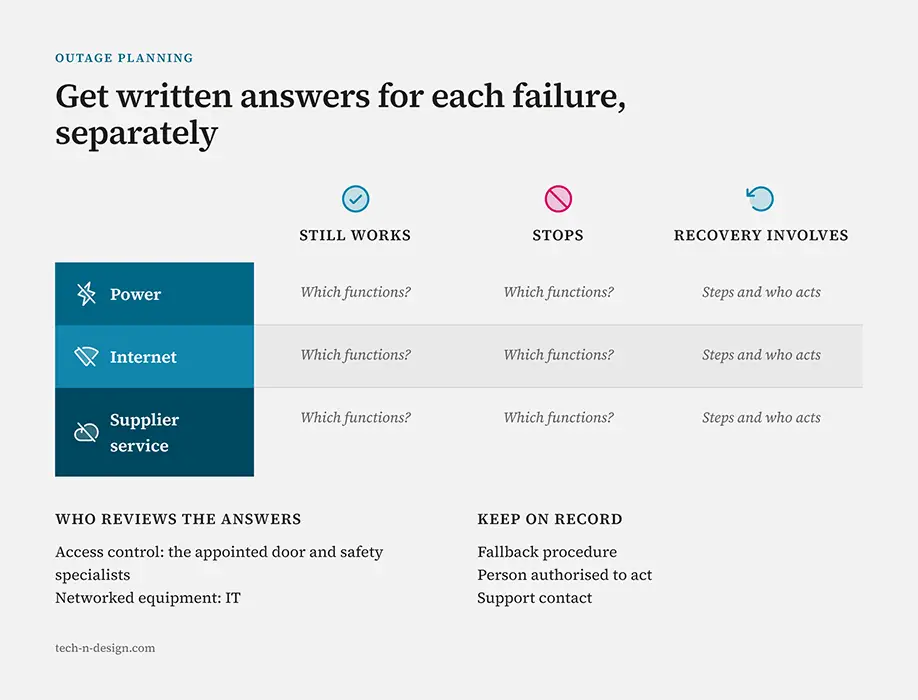
Ask about power, internet and supplier-service failures separately.
Get written answers about which functions remain available, which stop and what recovery involves. Then ask the responsible specialists to review those answers against the office’s operational and safety requirements.
For access control, include the appointed door and safety specialists. For networked equipment, include IT. Agree how any tests will be carried out before arranging them.
Record the fallback procedure, the person authorised to act and the support contact. You should be able to find those details without searching through sales correspondence.
What evidence supports the energy-saving claims?
Use the dashboard’s energy section to question the assumptions behind a claimed saving.
Ask what consumption was measured, which equipment the claim covers and what operating conditions were assumed. Establish how the result would be checked in your office.
The US Department of Energy’s measurement guidance explains the need to establish baseline conditions before installation and account for relevant changes when assessing savings. It is written for energy performance contracts, but the measurement principle is useful here. Department of Energy: measurement and verification
Keep estimated savings separate from measured results. Ask the appointed energy or building-services specialist to assess the calculation before using it to support a purchase.
What should you receive at handover?
Agree the handover requirements while preparing the scope.
Check the handover records
For the systems included in your project, establish whether you need:
- Installation records and relevant drawings.
- Test results and outstanding-action records.
- Operating and maintenance instructions.
- Warranty details and support contacts.
- Administrator access and recovery arrangements.
- Training for users and system administrators.
Commissioning guidance connects training, operating information and test records with the systems manual provided to the owner. Whole Building Design Guide: commissioning documents
Agree the training
Ask the intended operators to demonstrate the tasks covered by their training. Record unanswered questions and assign them to someone.
My office fit-out handover checklist explains how to organise documents, access, training and outstanding work.
Who maintains it after handover?
Name the operational owner before installation finishes.
Confirm who manages accounts and permissions, receives support notices, arranges updates and reports faults. Ask the supplier for its support period and what happens when support ends.
Also ask what you can export if you change suppliers, who controls the administrator account and what assistance or charges apply when leaving.
NIST’s guidance includes communication about the end of support or functionality. That makes support arrangements part of the purchase discussion. NIST: information dissemination
What should you record before approving the purchase?
In your project record, capture:
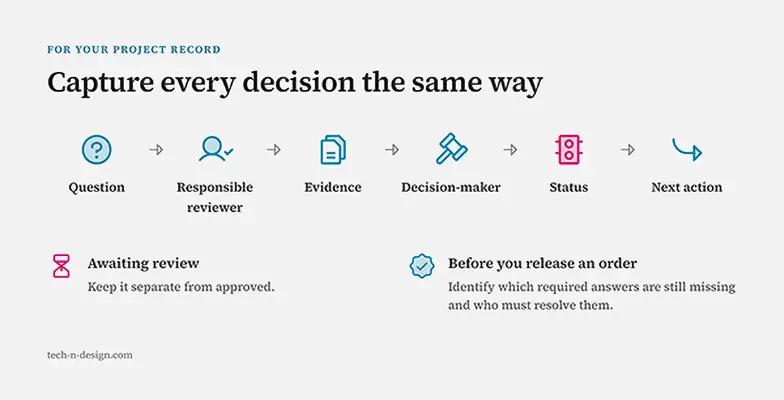
Keep “awaiting review” separate from “approved”. Before you release an order, identify which required answers are still missing and who must resolve them.
FAQs
Start by checking whether a change to your existing setup or working process could solve the problem. Add technology when you can explain what it needs to improve and how you will assess the result.
A demonstration shows what works under the conditions presented. You still need evidence that the proposed setup meets your office’s requirements.
Separate coordinating a review from providing specialist approval. You need named reviewers with the expertise and authority to assess the technical decisions.
Your purchase also brings responsibilities for updates, support and repairs. Confirm who will handle them and what they will cost before you commit.
Pause when an unanswered question could change the system’s suitability, cost or operation. Record the missing evidence, assign a reviewer and resolve it before approving the order.