

What Should a Commercial Office Fit-Out Handover Checklist Include?
I recommend building your office fit-out handover checklist before construction finishes. It should show what the client will receive, what still needs work and who must act next.
For each item, record who supplies it, who checks it and when it is due. You can then chase a missing test report or drawing while the responsible team is still available.
Use this guide to organise the work. Check your contract and local rules for the formal requirements, approvals, certificates and deadlines.
What should the checklist include?
Organise your checklist around these groups:
- The completed space, checked against the agreed drawings, finishes and scope.
- The document pack, including record drawings, manuals, warranties and product information.
- Tested systems, with the required commissioning reports, inspection records and test results.
- Keys, digital access, cards, remotes, spare materials and other items the client must receive.
- Training for the people who will operate the space and its equipment.
- Open snags and other unresolved actions, each with an owner, due date and acceptance record.
Keep the supporting evidence with each completed item. At the meeting, use a signed handover record to capture what the client received, what they accepted and what remains open.
Agree what handover means for your project
Before you arrange the walkthrough, agree which areas the client will receive and who will take responsibility for the remaining work. You need that agreement to decide what can proceed and what must wait.
A snag is an item that is incomplete, damaged, incorrectly installed or needs adjustment. Check which snags your contract allows to remain open at handover and how the team must close them.
If your contract uses practical completion as a formal milestone, check its requirements separately. A walkthrough, a client signature or access to the space does not automatically complete that process.
The RIBA Plan of Work provides UK professional guidance on project stages and information exchanges. My article on balancing structure and flexibility during fit-out delivery explains how I approach planning when project conditions change.
Prepare the handover inspection
I would confirm the acceptance process before booking the inspection. Name the people authorised to accept the work, list the documents due and confirm which authorities or specialists need to attend.
Check the finished space
- Compare each room with the latest approved drawings and scope.
- Check finishes, doors, ironmongery, joinery, signs, furniture and visible services.
- Confirm the space is clean, safe to enter and clear of tools, waste and temporary protection.
- Record every snag with a precise location, a short description and a clear photograph.
Check systems and their evidence
Ask the responsible specialists to confirm that they have completed the required inspections, commissioning and tests. Commissioning means recorded checks that a system performs against an agreed requirement. Switching equipment on is not the same as commissioning it.
Ask for the relevant results before you mark an item complete. A photograph can show visible condition. It cannot prove electrical safety, air flow, fire performance, water quality, data performance or correct system settings.

Know when to stop
Pause the handover and seek the responsible specialist if you find exposed wiring, active leaks, blocked escape routes, missing fire protection, unsafe access, unexplained alarms or a required inspection that has not taken place. Do not reset, isolate or adjust unfamiliar equipment unless you are authorised and competent to do so.
Which documents should the client receive?
I recommend using a document register because it shows you what was expected, what arrived and what is still missing. Clear ownership and shared project records reduce the risk of people working from different versions.
Check which of these records your project requires:
- Record drawings, often called as-built drawings, showing the work as recorded at completion.
- Operation and maintenance manuals, written so the facilities team can use them.
- Commissioning reports, test results and inspection records required by the contract or local rules.
- Product information, instructions, declarations, certificates and safety information that apply to the installed products.
- Warranties, with the provider, coverage, start date, end date and claim route stated.
- Finish, furniture and equipment schedules, including colours, codes and supplier details.
- Approved changes and the final status of design queries.
- Supplier, installer, maintenance and emergency contacts.
- Training records and the client’s signed receipt of the agreed information.
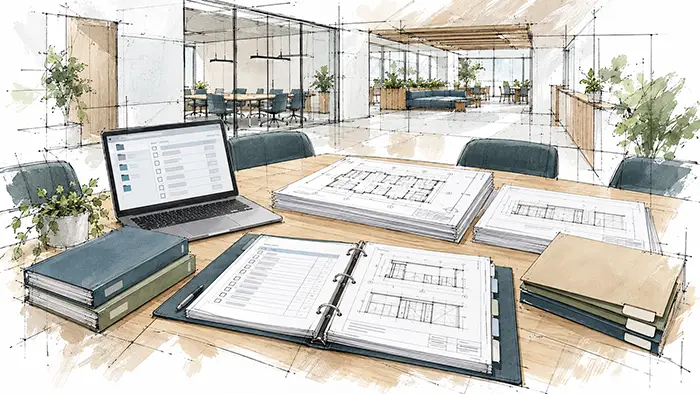
For every file, record its title, revision, date, provider, reviewer and status. Make sure you and the client can identify the current version without opening every file.
Check product documents against the rules for your project country. The European Commission’s Construction Products Regulation overview explains the distinction: EU rules provide a common technical language, while countries set rules for product use and installation. Check the applicable national requirements for projects outside the EU too.
Transfer access, equipment and spares
List what the client needs to enter, operate and maintain the space:
- Keys, labelled by door or area without exposing sensitive security information.
- Access cards, fobs, remotes and an approved access schedule.
- Spare ceiling tiles, carpet tiles, paint, lamps, filters, hardware and other agreed replacement items.
- Special tools, adapters or removable parts needed for operation or maintenance.
- An asset list with the location, make, model, serial number and warranty reference where relevant.
- Administrator access for agreed digital systems, such as audiovisual equipment, room booking, security or building controls.
Transfer passwords and recovery details through a protected method agreed with the client. Do not place live passwords in the general handover report or send them in an open email. Ask the client to confirm access, then record the result. If access has not been checked, label it as unverified.

Assign and close outstanding snags
I recommend keeping snags in a shared register so you can check each item without searching separate email chains. Record:
- Reference number.
- Exact location.
- Plain-language description.
- Responsible person or company.
- Target date.
- Status.
- Evidence of the completed fix.
- Name and date of acceptance.
Prioritise issues that affect safety, access or the client’s ability to use the space. Keep cosmetic items visible and dated so they do not disappear from the record. My guide to using digital snag lists to assign and track fixes explains a practical way to keep ownership clear.
Close the item only when the designated reviewer checks and accepts the fix. Keep the contractor’s completion message with the record, then log the reviewer’s decision.
Train the people who will use the space
I recommend planning training around the tasks people need to perform. Ask the operator to demonstrate the agreed controls and show you where they will find instructions and support contacts. Cover the systems included in the project and the contract.
Relevant topics may include:
- Lighting controls and scene settings.
- Blinds and other motorised items.
- Heating, cooling and local controls.
- Audiovisual and meeting-room equipment.
- Access control, alarms and visitor systems.
- Specialist furniture, appliances or equipment.
Record the trainer, attendees, date, topics, instructions supplied and questions left open. A user demonstration does not replace formal testing or commissioning. If a system response is unexpected, stop and contact the installer or facilities specialist.
Run the handover meeting
Walk through the space with the client, review the document register, demonstrate the agreed systems and transfer access items. Read through every open item together so you can agree who handles it next.
Record:
- The project, area and date covered.
- Who attended and each person’s role.
- Which rooms or areas were inspected.
- Which documents and items were received.
- Which demonstrations and training sessions took place.
- Which snags, missing records or other exceptions remain open.
- Who owns each action and when it is due.
- Who the client should contact after handover.
Ask the authorised people to sign the record with the exceptions attached. Record what they received and accepted, and follow the signing procedure in your contract.
Give the client time to ask questions and try the controls. Explain who they can contact about unresolved work. My article on making time for the client at handover explains why I make room for that conversation.
Follow through after handover
I would agree the follow-up contact before the client receives the space. You still need someone to coordinate outstanding snags, document corrections, operational questions and contract closeout.
After handover:
- Keep the action register live until every item is accepted or formally transferred.
- Issue corrected record drawings and manuals when changes are made.
- Give the client the agreed route for reporting faults or defects.
- Schedule an aftercare review at the interval agreed for the project.
- Record recurring issues and assign follow-up actions from fit-out lessons for the next project.
BSRIA’s Soft Landings for Fit-Outs guidance covers delivery beyond completion, including operational performance and client expectations. Use it to help plan aftercare.
Watch for these handover mistakes
- Starting the handover pack after the construction team has begun leaving site.
- Calling a large folder complete without a document register or revision check.
- Accepting verbal promises without an owner and due date.
- Using photographs as proof of hidden work, system performance or legal compliance.
- Sending passwords inside the general report.
- Marking an untested system as complete because it powered on.
- Assuming the same certificate names, acceptance rules or defect periods apply across Europe.
- Treating possession of the space as proof that every contractual step is complete.
Start with the gaps in your register
Open your handover register and look for missing records, unconfirmed access, outstanding training and unresolved work. Assign each gap to a named person and agree a due date. You can then see what is missing, who must provide it and when it is due.
FAQs
I’d prioritise what your client needs to operate the space and resolve problems. Keep technical records available without burying everyday instructions.
I’d ask a future user to review the information. Their questions can expose assumptions you and your team have stopped noticing.
I’d use this to check whether the demonstration was clear. You can then address any confusion before the team leaves.
I’d automate reminders and document requests. Explain unresolved work personally so your client can question it and agree the next action.
I’d check whether your client can find information, operate the controls and contact support without relying on you.


